What Is AI Virtual Try-On? A Guide for Clothing Brands
What is AI virtual try-on for a clothing brand? Learn how it turns garment photos into on-model images, what it can prove, and where review still matters.
The short answer
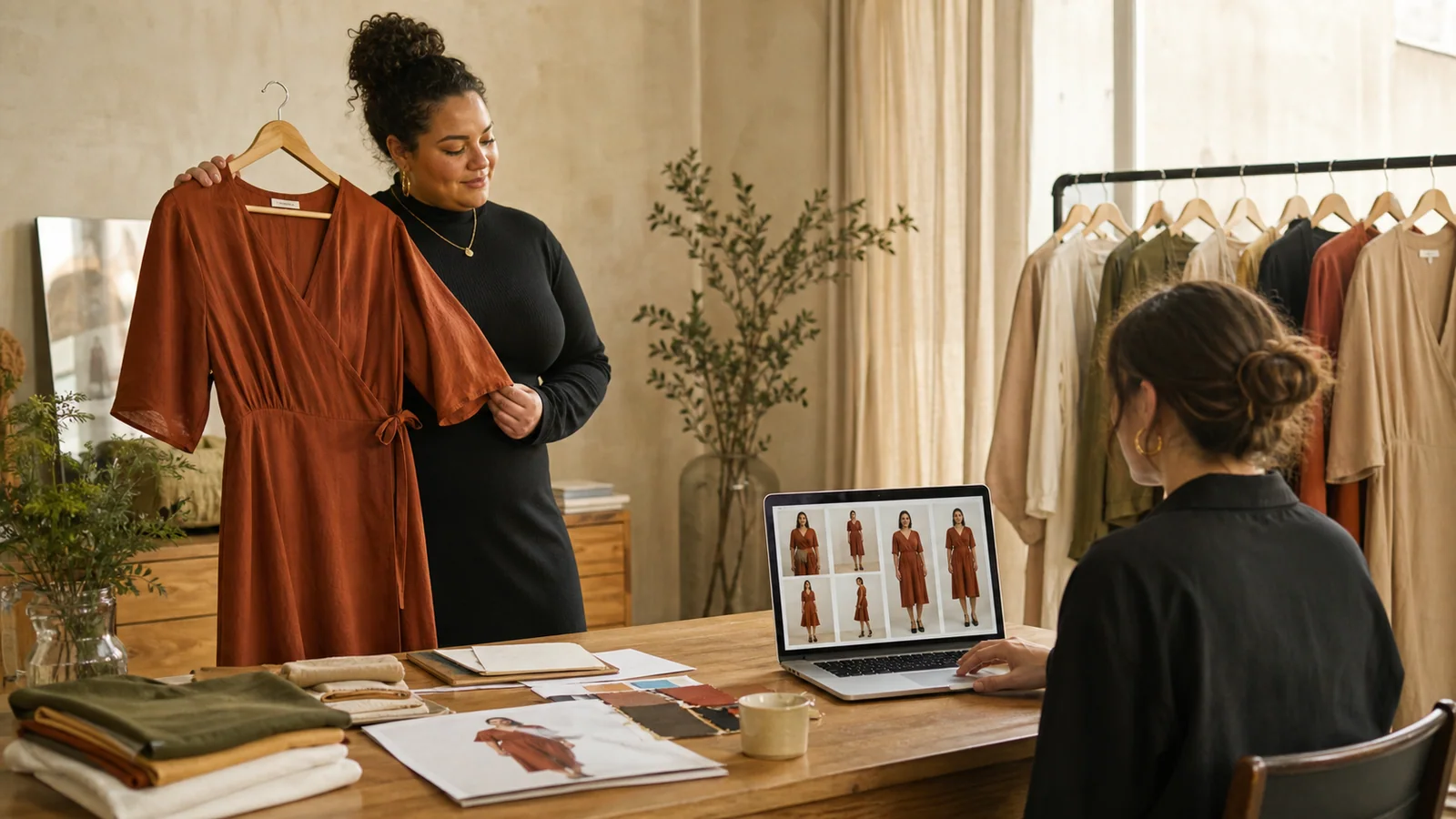
What is AI virtual try-on? For a clothing brand, it is a visual production workflow that combines a source garment with a selected or uploaded model image to create a new on-model fashion image. It can help a team explore body representation, camera views, crops, and backgrounds before arranging another studio shoot.
That definition needs one important boundary. A generated image is not a sizing engine, a body scan, or proof that a garment will fit a customer in a particular way. It is a candidate product image. The brand still needs to compare the output with the real garment and approve what it publishes.
This distinction matters for plus-size fashion. The opportunity is not to promise a mathematically exact fit. It is to give brands a practical way to produce more relevant model imagery without treating one straight-size campaign image as the only visual reference for every customer.
What is AI virtual try-on made from?
Most workflows begin with two visual inputs: a garment and a person. The garment may be a clean product photo, a flat lay, or a supplier image. The person may come from a preset model library or a custom model photo supplied by the brand. The system then creates a new image in which the selected garment is shown on that model.
For teams still asking what is AI virtual try-on in practical terms, those two inputs are the working brief: product evidence on one side and an approved model direction on the other.
The useful output depends on the quality and clarity of those inputs. If a sleeve is hidden, a hem is cropped, or a print is too small to inspect, the system has less reliable information to work from. AI can create a plausible missing area, but plausible is not the same as product-accurate.
PlusLooks gives teams a more controlled brief. A brand can choose among plus-size body-shape and skin-tone presets or upload a custom model. It can also select front, back, or side views; full-body, upper-body, or lower-body framing; multiple aspect ratios; white, original, or described backgrounds; and 1K or 2K output. Those controls are not decoration. They determine whether the result suits a product page, catalog tile, marketplace listing, or campaign draft.
What happens between upload and output?
When a brand asks what is AI virtual try-on doing behind the interface, the most useful answer is not a list of model names. Think of it as a sequence of visual decisions:
- Read the garment. The system identifies visible elements such as silhouette, color, neckline, sleeves, hem, and surface details.
- Read the model reference. It uses the selected body direction, pose, framing, and visible features as the base for the composition.
- Place the garment. It generates an on-model interpretation while trying to preserve the product cues in the source photo.
- Compose the image. It applies the requested view, crop, aspect ratio, background, and resolution.
- Return a review candidate. The result goes back to the team for comparison with the real SKU.
The last step is easy to overlook. Fashion images carry product information, not just mood. A creative director may accept a slightly different hand pose. The same team should reject a shifted neckline, changed print scale, missing fastening, invented pocket, or altered hem.
Three categories that are often confused
The phrase “virtual try-on” is used for several different products. Before choosing a tool, define the job.
This category check is part of answering what is AI virtual try-on for your brand, because tools with similar labels can produce very different deliverables.
On-model image generation
This is the category PlusLooks serves. The user supplies clothing imagery and chooses a model direction. The output is a still image that can support e-commerce and marketing production after review. Explore the AI virtual try-on for clothes page for the full workflow.
Live camera effects
Some tools place an item over a webcam or phone camera in real time. They are useful for interactive discovery, but the output and operating constraints differ from a catalog-production workflow.
Fit and size prediction
Fit systems try to recommend a size or estimate how closely a real garment will sit on a measured body. That requires reliable garment measurements, body data, and a separate validation method. An AI-generated fashion image should not be presented as that kind of evidence.
So, what is AI virtual try-on in your project brief? If the deliverable is a set of model images for a PDP, catalog, or campaign test, on-model generation is the relevant category. If the deliverable is a size recommendation, you need a different system.
Why plus-size brands need a specific visual brief
“Use a curvy model” is not a sufficient brief. It leaves the body direction vague and gives reviewers no consistent baseline. A better brief specifies the intended silhouette, skin-tone range, camera view, crop, background, and publishing destination.
PlusLooks includes pear, apple, and hourglass body-shape directions across four skin-tone choices. These presets make it easier to run a consistent first pass. A brand with an established campaign model can upload its own approved image instead. Neither option removes the need for review; both make the starting point more explicit.
Representation also needs variety without tokenism. One generated image cannot stand in for an entire customer base. Build a small, intentional set that reflects the audience you actually serve, then keep garment presentation consistent enough that shoppers can compare products across the collection.
For a deeper production framework, read the guide to plus-size fashion photography or open the plus-size AI model generator.
What a good source image looks like
A useful garment source does not need to be an expensive studio photograph. It does need to be legible.
- Show the full garment without cropping the sleeves, straps, waistband, or hem.
- Use even light so black, white, and textured fabrics retain detail.
- Keep the item separate from a busy background.
- Avoid hands, hangers, clips, and other objects covering construction details.
- Add a back image when the back contains closures, panels, prints, or other defining elements.
- Check that the file is sharp enough to inspect seams and edges at normal viewing size.
Source-image discipline is less glamorous than prompt writing, but it has more influence over product fidelity. A clear source gives the generator fewer gaps to invent.
How brands should review a generated image
What is AI virtual try-on quality in commercial terms? It is not simply “looks realistic.” A useful review separates garment accuracy from image polish.
First, compare the result with the physical SKU or approved product photo. Check silhouette, neckline, sleeve length, hem, color, print placement, fastenings, pockets, and visible construction. Then inspect the model image for anatomy, hands, posture, edges, shadows, and background consistency. Finally, check the publishing specification: crop, aspect ratio, resolution, negative space, and whether the image sits coherently beside the rest of the catalog.
Review at normal size and at a close zoom. Small pattern changes may disappear in a thumbnail but become obvious on a product page. Keep the approved source and output together so another reviewer can repeat the decision.
Where this workflow earns its place
AI-generated on-model imagery is especially useful when a team needs to test more visual directions than a normal shoot budget permits. Examples include early campaign concepts, expanded plus-size representation, alternate marketplace crops, a consistent white-background catalog, and a first-pass image set for a new SKU.
It is less suitable when the garment has complex transparency, highly reflective surfaces, intricate construction that is not visible in the source, or when the image must serve as evidence of exact fit. In those cases, use a physical sample and a conventional shoot, or treat the AI result only as a creative reference.
A practical first test
Start with one visually simple SKU that your team knows well. Choose one model direction, generate a front view in the ratio used on your product page, and review it against the real garment. Then change only one variable: model, view, or background. This makes errors easier to diagnose than generating a large mixed batch.
This small pilot gives the team a concrete answer to what is AI virtual try-on before it commits to a larger catalog batch.
Once the team agrees on an approval checklist, expand to a small category such as tops or dresses. You will learn more from ten controlled images than from a hundred unrelated experiments.
What is AI virtual try-on at its best? It is a repeatable way to turn a clear garment source and an explicit representation brief into reviewable fashion imagery. Open PlusLooks, begin with one SKU, and let product accuracy decide what moves forward.
Author
Categories
More Posts
AI Clothes Changer Online: 5 Checks Before You Generate
Use an AI clothes changer online with fewer avoidable errors. Check garment photos, model references, views, backgrounds, ratios, and final image quality.
Plus Size Fashion Photography: A Better AI Model Brief
Build a clearer plus size fashion photography brief for AI model images. Define body direction, garment accuracy, framing, representation, and review.
How to Make an AI Fashion Photoshoot for a Clothing Brand
Plan an AI fashion photoshoot around real publishing needs. Build a shot list for PDPs, catalogs, campaigns, marketplaces, and social content.
Newsletter
Join the PlusLooks community
Get styling tips, new features, and plus-size fashion trends delivered to your inbox