From garment source to publishable shot list
AI Product Photography for Clothing Brands
Create candidate catalog and campaign images from a clear clothing photo. Plus Looks brings AI apparel photography and AI clothing photography into one controlled workspace for the garment, plus-size model, camera, background, crop, and resolution.
Think in deliverables, not random generations
One SKU can serve several image jobs
Use AI product photography for clothing to create a clean catalog frame first, then add only the views and scenes the product page or campaign needs.
- background directions
- 3
- camera and crop views
- 9
- publishing ratios
- 7
- output resolutions
- 1K / 2K
Three image jobs, three review standards
Choose the publishing job before the visual treatment
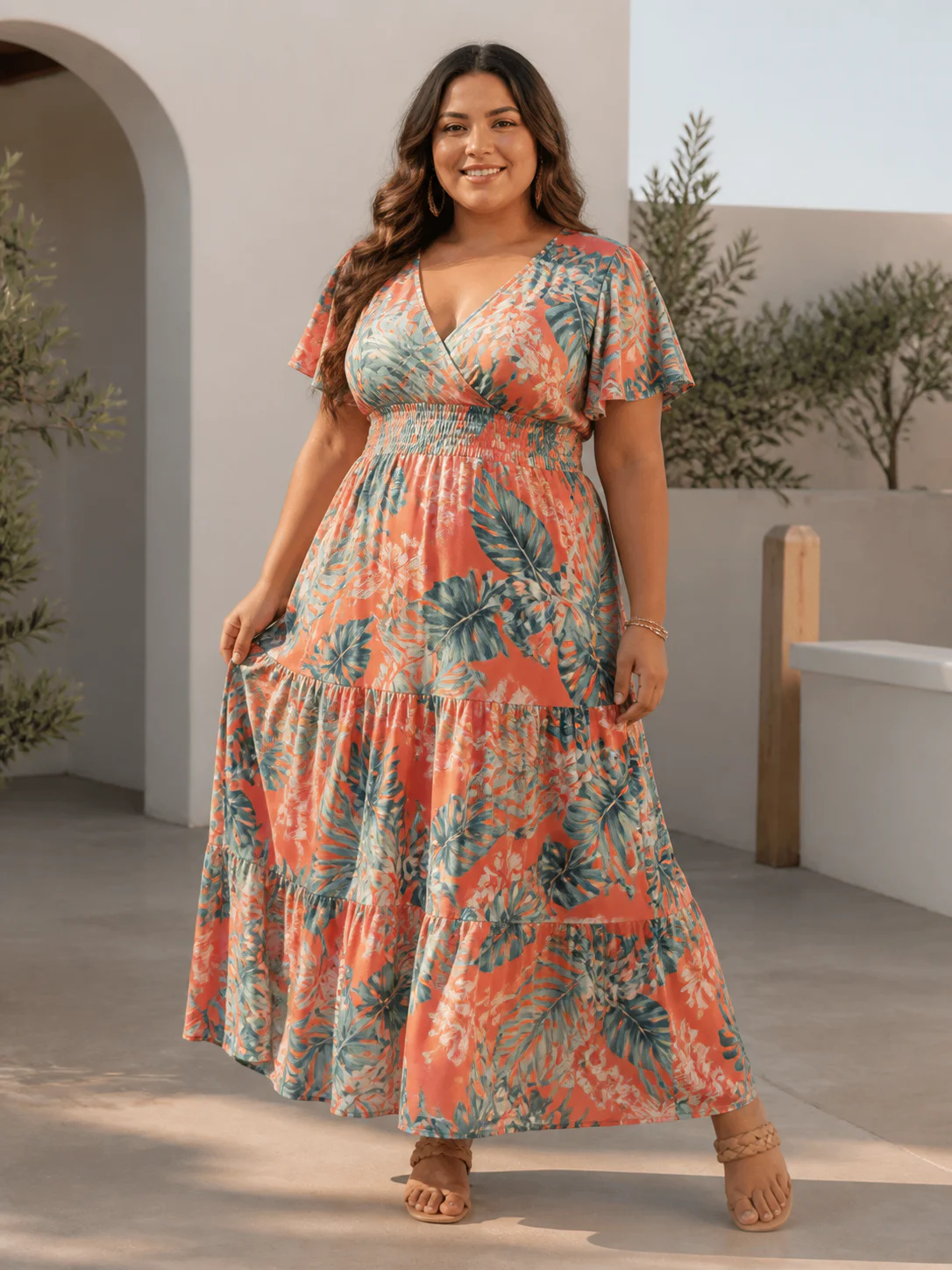
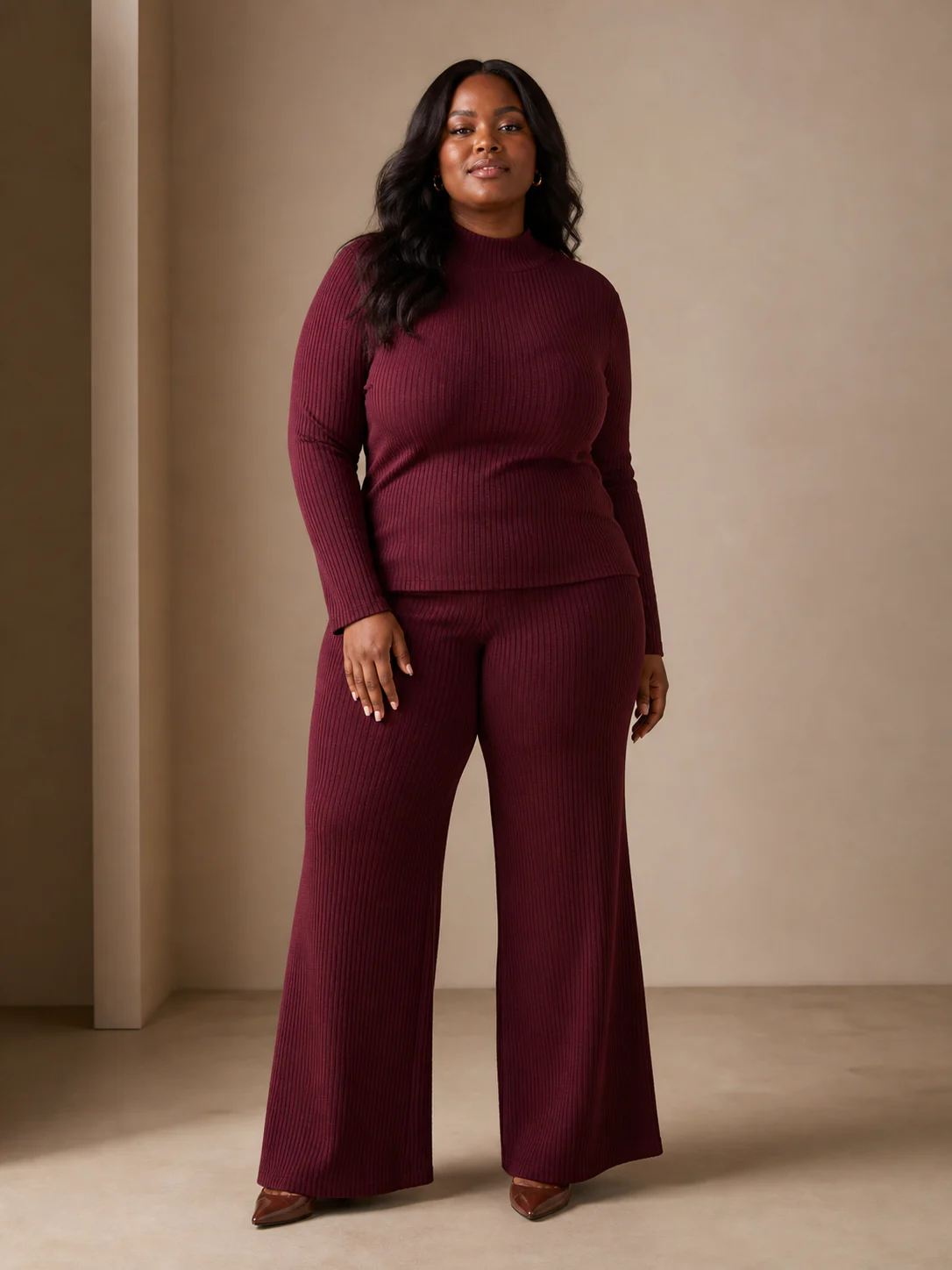
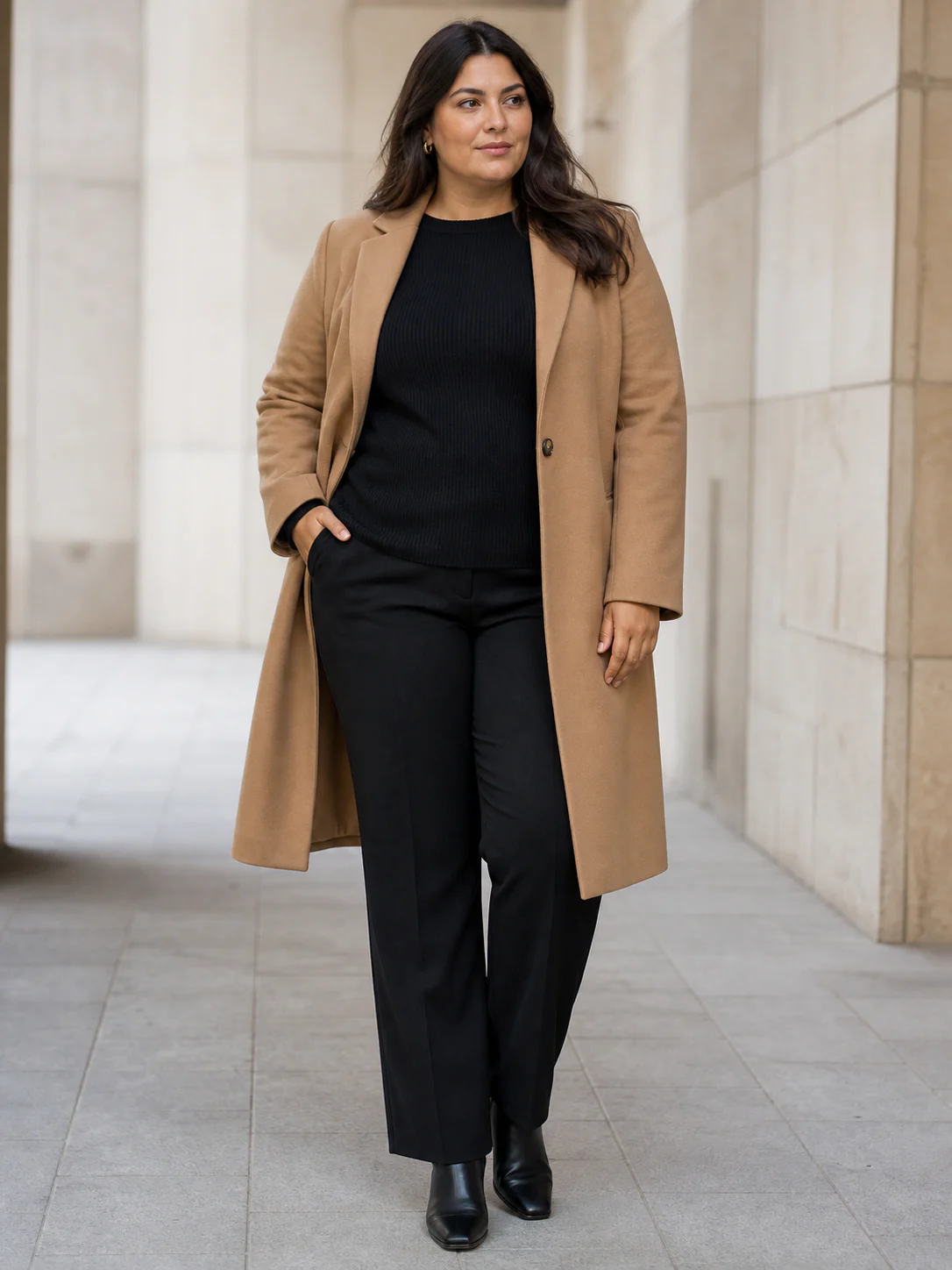
These finished frames show how crop and setting change with the publishing slot. Match each result against your own garment source before approval.
The source garments are not displayed as before-and-after proof. Compare every generated result with the garment photo you uploaded, especially prints, closures, edges, and color blocks.
01Catalog front
PDP or category image
- Source
- Complete front garment photo with the hem visible
- Setup
- Full front · 3:4 · quiet background · 2K
02On-model detail
Product detail or alternate view
- Source
- Readable knit texture, neckline, sleeves, and waistband
- Setup
- Upper front · 3:4 · retained background · 2K
03Lifestyle frame
Collection launch or campaign
- Source
- Full coat silhouette with lapels and hem unobstructed
- Setup
- Full front · 3:4 · described scene · 2K
The catalog starts before generation
Define the image job for each frame
A clothing product page rarely needs ten unrelated images. It needs a short, repeatable sequence that helps someone inspect the garment: a clear front, a back when construction changes, a side or closer frame when silhouette matters, and perhaps one scene-led image for context. AI product photography for clothing works when it follows that sequence instead of producing a pile of visually impressive options with no publishing role.
Write the shot list at SKU level. For a dress, that might mean full front, full back, and one lifestyle portrait. For a blouse, use an upper-body front, an upper-body side, and a clean square tile. Trousers may need lower-body framing. Plus Looks provides nine angle and framing combinations, so the brief can describe the actual garment area rather than asking the team to crop every result later.
Keep the first frame conservative. A neutral model pose and white or retained background make garment review easier. Once that frame works, create the campaign variation. This order separates product accuracy review from art direction and gives the team a stable reference for the rest of the collection.
Three outputs, three different decisions
Catalog, on-model, and lifestyle images are not interchangeable
A clean catalog frame removes distractions. It is the place to judge silhouette, coverage, color, and whether the garment reads at thumbnail size. Choose white when the storefront needs consistency, then keep the same ratio and model direction across neighboring products. AI product photography for clothing should make a collection easier to compare, not turn every SKU into a different campaign.
An on-model editorial frame can carry more character while staying useful. A custom model photo lets a team work with a specific face or pose; preset plus-size models offer a faster starting point across pear, apple, and hourglass body shapes. In either case, the garment still needs to remain the reason the image exists.
A lifestyle frame adds setting. Plus Looks can preserve the source model background or generate a described scene. Treat that output as a candidate that needs selection. Complex scene prompts, reflective details, small typography, and fine trims deserve close review before the image is approved for a product claim or paid campaign.
Catalog frame
Neutral composition, consistent crop, and clear garment visibility.
On-model frame
A selected plus-size model with a view chosen for the garment category.
Lifestyle frame
A scene-led image for campaign context, reviewed for generated details.
Consistency is a set of repeated choices
Lock the variables that make a collection feel related
Brand consistency does not come from asking AI for a “consistent catalog.” It comes from repeating concrete decisions: the same model source, background direction, framing rule, aspect ratio, and review standard. AI product photography for clothing gives those controls a visible place in the workflow. The team still decides which values become the collection rule.
Start with one approved reference image. Record the model, view, background, ratio, and resolution used. Apply that recipe to the next two garments before scaling further. If the results drift, adjust the smallest variable possible. Changing the model, camera, background, and source quality at once makes it difficult to understand why the visual language changed.
Resolution belongs in the recipe too. Use 1K where the publishing slot is modest and 2K where a larger crop or more detailed presentation justifies it. Output size cannot restore information missing from a low-quality garment source, so source inspection should happen before the higher-resolution generation.
Casting rule
Choose one model direction for a product family or drop.
Camera rule
Match full, upper, or lower framing to the garment category.
Canvas rule
Choose the ratio from the publishing destination before generation.
Review rule
Inspect prints, edges, closures, and generated scene details at full size.
The source sets the ceiling
Prepare clothing photos for product work, not just recognition
The model needs to see the garment before it can present it. Use a complete front view with even light and clear separation from the background. Keep sleeves, straps, hems, and waistlines visible. For white garments, avoid a blown-out white background. For dark garments, preserve enough tonal detail to show seams and edges.
Add a back image when the rear design contains information customers need. A second image that conflicts in color, lighting, or construction can create more uncertainty than it solves. Choose the cleaner source and treat every generated output as an image to review, not a specification sheet.
AI product photography for clothing is strongest when the brief is visual and bounded: show this garment, on this model direction, from this view, for this placement. It is not a substitute for technical product photography where exact measurements, certified color reproduction, or microscopic material evidence is the claim.
Show the whole item
Do not crop the hem, sleeve, strap, or waistband the output needs to reconstruct.
Separate it from the background
Use contrast and even light so the silhouette remains readable.
Review at publishing size
Check the actual crop, garment details, and background before approval.
Human review remains part of the pipeline
Use a simple approval pass before an image leaves the studio
Review the garment first: silhouette, neckline, sleeve length, print placement, closures, and any detail tied to a product claim. Then review the person: hands, posture, boundaries between body and fabric, and whether the chosen framing feels intentional. Last, review the environment for unexpected text, objects, shadows, or reflections.
That order keeps AI product photography for clothing accountable to the SKU. A beautiful background cannot rescue a garment that is shown incorrectly, and a plausible model image should not be treated as proof of physical fit. Approve what the image visibly supports and keep technical specifications in their proper source of truth.
FAQ
AI product photography questions from clothing teams
What source images can I use for AI product photography?
Use a clear clothing photo with the full garment visible. Flat lays, hanger photos, supplier images, or clean design exports can work when the silhouette and important details are readable.
Can I create white-background product images?
Yes. Choose the pure white background option for a clean catalog direction. Review the result against your marketplace or storefront requirements before publishing.
Can I keep the same model across a catalog?
You can reuse a preset or custom model direction and repeat the same view, ratio, background, and resolution choices. Each generated image still needs visual review for consistency.
Does Plus Looks support lifestyle scenes?
Yes. You can describe a background scene for generation or preserve the original model background. Generated scenes are candidates for review and may vary between outputs.
Is AI product photography free to try?
New accounts receive free credits. Generation requires an account, and credit use depends on image count, resolution, and optional custom inputs.
Move AI product photography from one image to a repeatable catalog
Create the first product-photo reference
Start AI product photography with one SKU, one model direction, and one publishing slot. Approve the recipe before scaling it.