A shot-list workflow for every SKU
AI Fashion Catalog Generator for Clothing Brands
Turn individual clothing photos into a planned series of on-model images. The Plus Looks AI fashion catalog generator helps teams repeat model, view, background, aspect ratio, and resolution choices across a collection without pretending every SKU needs the same frames.
A catalog is a sequence
Plan the frame before generating the image
Map front, back, side, detail, and scene-led images to real storefront placements, then reuse the approved recipe across related products.
- camera views
- 9
- aspect ratios
- 7
- background directions
- 3
- output choices
- 1K / 2K
One recipe, four neighboring SKUs
A catalog works when the rules survive a product change
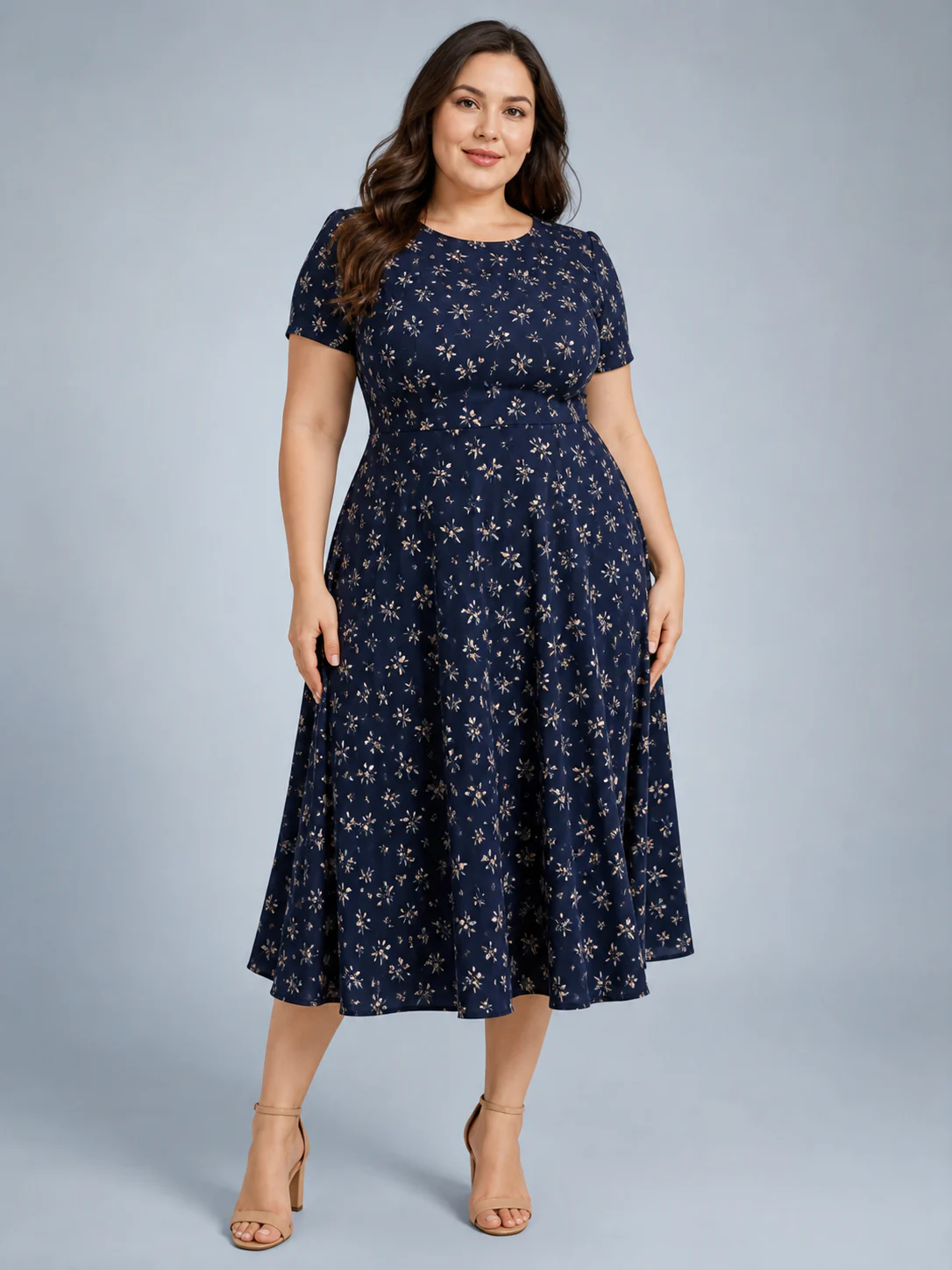
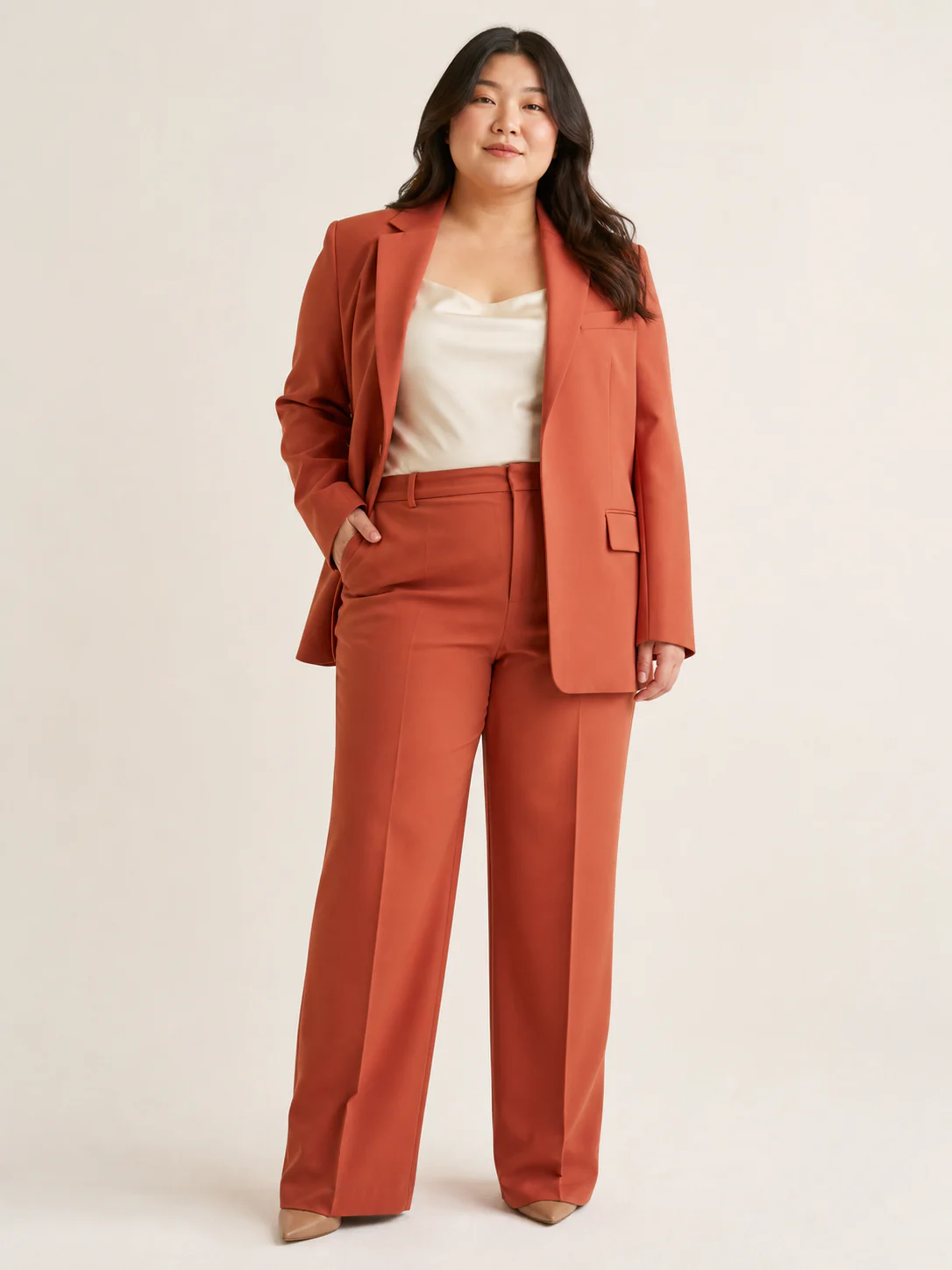
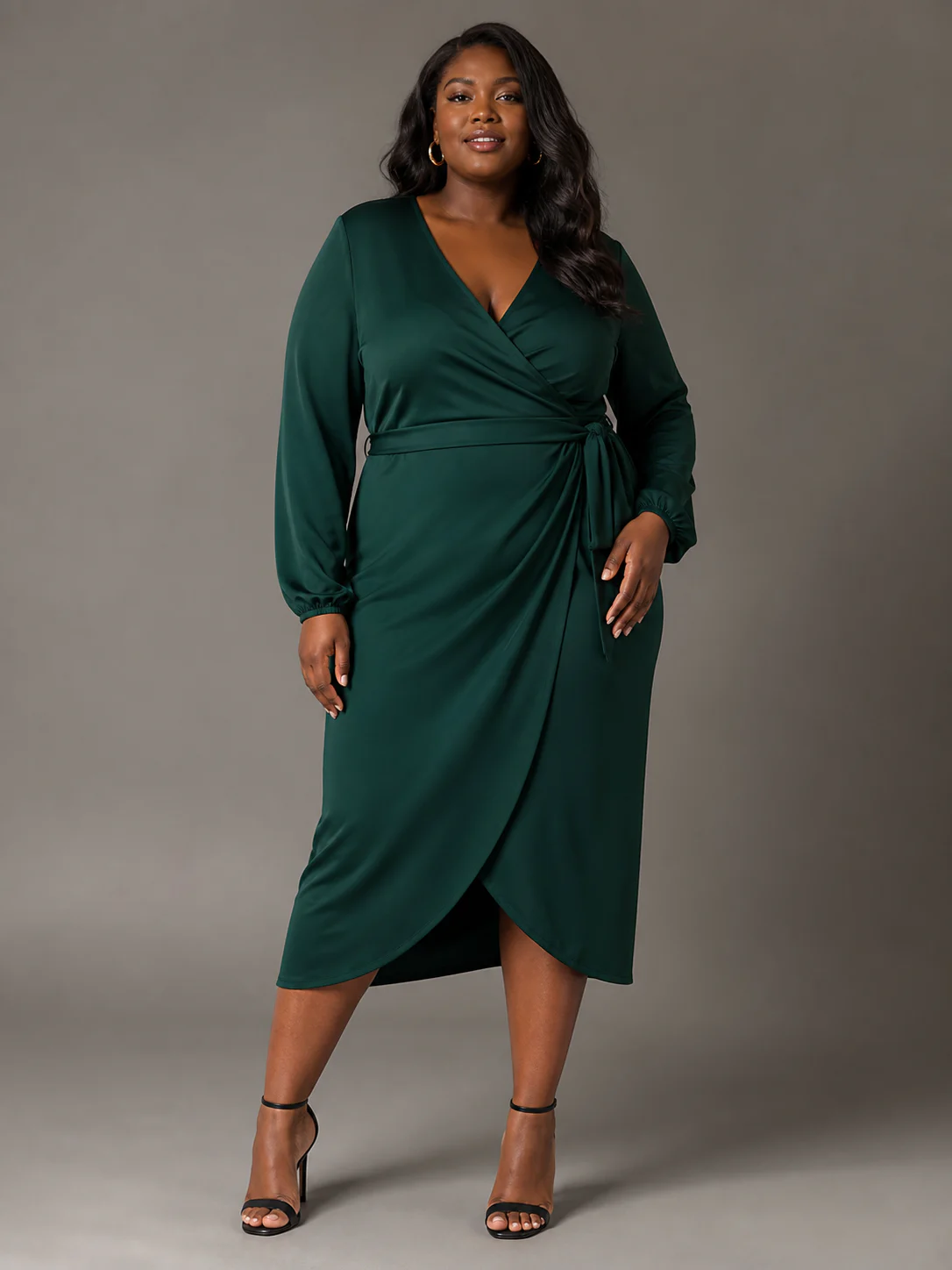
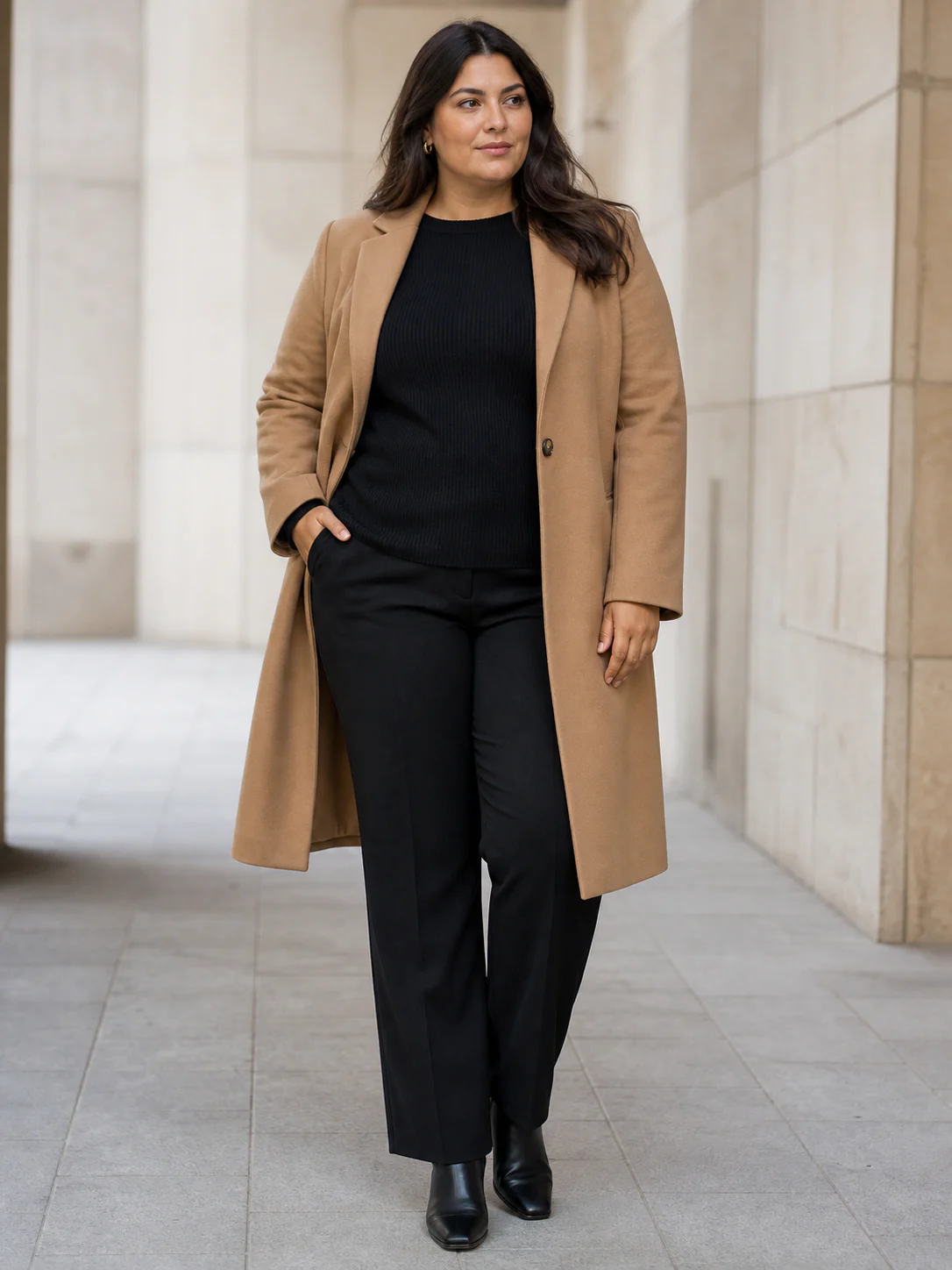
This contact sheet keeps the frame, ratio, and review order steady while the garment changes. Use it as a model for a small category pilot.
01SKU 01
Opening catalog frame
- Source
- Front garment source with the print fully visible
- Setup
- Full front · 3:4 · neutral studio · 2K
02SKU 02
Opening catalog frame
- Source
- Jacket and trousers visible without overlap
- Setup
- Full front · 3:4 · neutral studio · 2K
03SKU 03
Opening catalog frame
- Source
- Wrap line, neckline, sleeves, and hem visible
- Setup
- Full front · 3:4 · neutral studio · 2K
04SKU 04
Opening catalog frame
- Source
- Lapels, closure, sleeves, and full coat length visible
- Setup
- Full front · 3:4 · neutral studio · 2K
The SKU storyboard
Give every image a place and a reason to exist
A catalog is not a folder full of attractive files. It is an ordered explanation of the product. The first frame establishes the garment. The next frame answers a question the first cannot: back construction, side silhouette, closer upper-body detail, or a scene that shows styling context. An AI fashion catalog generator earns its place when it helps a team produce that order reliably.
Start by listing the storefront slots. Record the required ratio and the garment information each slot must carry. Then choose from nine camera and framing options. Full-front and full-back views suit dresses and complete outfits. Upper-body framing gives tops more presence. Lower-body framing keeps trousers and skirts from shrinking inside unnecessary space.
Do not copy the same shot list to every category. A jacket with a distinctive back needs a different sequence from a simple T-shirt. Build two or three category recipes, approve them, and keep exceptions visible. The AI fashion catalog generator supports repeatability without forcing every garment into one rigid template.
Frame 1: establish
A clean front view that reads clearly at thumbnail and product-page size.
Frame 2: explain
Back, side, upper, or lower framing chosen for the garment construction.
Frame 3: place
An optional studio or lifestyle image with a defined campaign role.
Consistency has named ingredients
Record the image recipe beside the SKU list
A useful recipe names the model, view, background, aspect ratio, and resolution. “Match the previous image” is not a production instruction; it hides the choices the team will need when something changes. Store the recipe in the same place as the shot list and apply it to a small group before scaling.
Model direction anchors the people in the catalog. Choose from 12 preset plus-size combinations or upload a custom model source. Camera direction anchors the garment. Background and ratio anchor the publishing system. Resolution should match the destination rather than defaulting every file to the largest option.
The catalog workspace makes these variables explicit, but generated outputs still vary. Review the first three SKUs side by side. Look for changes in crop, model treatment, lighting, garment edges, and scene detail. Correct the recipe or selection standard early, while the set is still small.
Model recipe
Preset or custom source, chosen for a product family or collection.
Camera recipe
A defined sequence of the nine available view and framing options.
Canvas recipe
One of seven ratios assigned to each storefront or campaign slot.
Finish recipe
1K or 2K chosen from the actual publishing requirement.
Catalog quality begins in the source library
Clean the input list before you generate the output list
Review clothing sources as a batch. Remove duplicates, flag missing backs, and identify images that hide hems, sleeves, straps, or waistlines. If one colorway uses a studio export and another uses a dim supplier photo, the resulting catalog may inherit that difference. Fixing source quality early is cheaper than trying to art-direct around missing information later.
Use filenames or SKU references that survive download and review. Plus Looks saves the visual result, but the surrounding catalog operation still needs a clear link between source garment, generated image, approved frame, and publishing destination. The AI fashion catalog generator is one step in that chain, not a replacement for product information management.
When a generated frame changes an important print, closure, seam, or trim, reject it. When exact color is a regulated or contractual requirement, use a color-managed workflow. AI-generated imagery can support presentation, but technical claims need evidence from the appropriate production source.
Review in context
Approve a row of images, not one image at a time
A single frame can look excellent and still break the catalog. Place neighboring SKUs together at the size customers will see. Check headroom, garment scale, model continuity, background tone, and whether the first image gives each product comparable visual weight.
Then open the files at full size for detail review. This two-distance check catches both system problems and local generation errors. The generator provides the frames; the contact sheet reveals whether they behave as a collection.
Keep rejected outputs out of the publishing folder and record why they failed. A short label such as “print changed,” “hem cropped,” or “background drift” gives the next generation a specific correction target and helps the team improve its source and recipe rules.
Scale after the recipe survives contact with real products
Pilot one category before the whole collection
Choose a category with enough variation to expose problems but few enough SKUs to review carefully. Generate the required frames, approve the contact sheet, and measure the actual credits used for that recipe. That pilot gives the team a practical basis for choosing a plan and estimating the next batch.
If the pilot depends on custom models, custom backgrounds, or 2K output, include those choices in the estimate. If only the campaign frame needs them, separate that cost from the standard catalog set. An AI fashion catalog generator works best when image ambition and publishing necessity are not treated as the same thing.
Once the recipe holds, move to the next category. Preserve what transfers and rewrite what does not. The goal is not identical images; it is a catalog where every difference looks intentional and every required product fact remains easy to inspect.
FAQ
AI fashion catalog generator questions
Can Plus Looks export a PDF catalog?
Plus Looks generates image files for catalog, product-page, lookbook, and campaign use. It does not currently claim a branded PDF catalog builder; assemble approved images in your existing catalog or commerce workflow.
How do I keep catalog images consistent?
Repeat a documented model, camera, background, ratio, and resolution recipe. Review the first few SKUs together before generating a larger batch.
Which catalog views are available?
Choose nine combinations across front, back, and side perspectives with full-body, upper-body, or lower-body framing.
Can I use different models for different product groups?
Yes. Define the model direction by collection or category, and keep the choice documented so differences across the catalog remain intentional.
Is the AI fashion catalog generator free to try?
New accounts receive free credits. The number of catalog images available depends on the chosen image count, resolution, custom inputs, and credit balance.
Build one category recipe before the whole catalog
Choose a garment, define its required frames, and create the first contact sheet for review.